Novità davvero interessanti quelle emerse in questi giorni a proposito di Action Launcher, giunto alla versione 3.2 con una serie di novità molto significative e legate al ripristino di vecchie funzionalità.
Ecco il suo changelog:
-
NEW: Quickpage, a fully-featured Home screen accessed from right screen edge (Settings -> Layout -> Quickpage).
-
NEW: Quicktheme supports customizing the Quickpage appearance.
-
NEW: Icon scaling (Settings -> Display -> Icon scale).
-
NEW: Settings and layout can be backed up and restored to and from a device’s storage (Settings -> Backup and import).
-
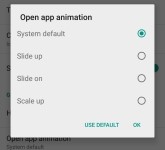
NEW: Option to change the transition animation used when loading apps (Settings -> Display -> Open app animation).
-
NEW: When using Android 4.x, app defaults to using the “slide up” open app animation.
-
NEW: Material design themed dialogs, checkboxes, switches, sliders, etc., when using Android 4.x.
-
NEW: The default Home screen can be changed (long press empty space on a Home screen -> tap the Favorite icon).
-
NEW: Option to lock desktop (Settings -> Layout -> Lock desktop).
-
NEW: Option to hide page indicators (Settings -> Layout -> Home screen indicators).
-
NEW: Option to disable opening Quickdrawer via swipe (Settings -> Shortcuts -> Quickdrawer).
-
NEW: Option to disable the screen edge shadow (Settings -> Display -> Screen edge shadow).
-
NEW: Activity picker (Long press -> Widgets -> Activities).
-
NEW: Option to disable Shutters (Settings -> Display -> Shutters).
-
CHANGE: Quickdrawer scrolls beneath the status bar rather than using its own tinted quasi-status bar (requires Android 4.4 or later).
-
CHANGE: Settings uses switches instead of checkboxes.
-
CHANGE: Quickdrawer/Quickpage automatically close after a few seconds.
-
CHANGE: Quickdrawer/Quickpage can’t be opened when in All Apps and/or long press mode.
-
CHANGE: Zoom out to show adjacent Home screens when an existing icon/widget is picked up (matches experience when dragging from Quickdrawer/All Apps).
-
CHANGE: Hide the Infinite folders setting for Plus users (functionality is now always enabled).
-
FIX: Wallpaper/icon images applied correctly from 3rd party apps that point Action Launcher directly to a file’s location on the SD card.
-
FIX: Hidden apps no longer re-appear in Quickpage/All Apps.
-
FIX: Widget resize outline bounces back to the nearest grid position.
-
FIX: Exit zoomed out mode when dragging a shortcut onto the App info helper.
-
FIX: Shutters/Covers/folders open correctly when animation scale has been changed to .5x in System Settings -> Developer options.
-
FIX: Introduction screens can be scrolled.
Qui, invece, il download per testarlo praticamente.