
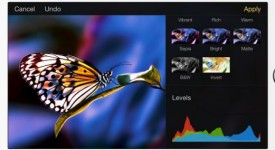
Arriva un aggiornamento davvero ricco di novità per Pixelmator, con cui la qualità delle nostre immagini è destinata a fare passi in avanti ai quali non sapremo più fare a meno.
Andiamo a vedere tutte le novità della versione 2.0.2:
We’ve redefined the performance of the Repair tool, added Dynamic Touch to all Retouch tools, improved the Photo Editing extension, and more.
- • The Repair tool is now up to 5 times faster and even more precise.
- • Dynamic Touch lets you adjust the stroke size of all Retouch tools by simply using the tip of your finger to create thin strokes and a larger surface area of your finger for thicker lines.
- • Lots of improvements to the Photo Editing extension and more.
Improvements and bug fixes
- The Blur effect lets you apply more blur to your images.
- The Pinch and Bump effects now look even better.
- We’ve fixed the Effects thumbnails of very wide images.
- Now you can Cancel or Apply an effect with the settings popover open.
- The Clone tool now starts cloning grouped layers when and where you ask it to.
- The Retouch tools now work just as they should on layers with Lock Alpha on.
- The rhombus shape looks much more crisp.
- The Font Size setting had no effect on a few fonts. Fixed.
- The values of the Color Balance settings used to stay the same after applying Undo. Fixed.
- Previously, after canceling color adjustments for text, shape or grouped layers, you were still able to Undo the adjustments that you never made. Fixed.
- Removed Undo Image Size after creating a new Custom Image.
- The Replace Photo popover is now displayed properly when customizing a template at a high zoom level.
- We’ve made it easier to zoom the canvas into Fit and Full-Screen views.
- Your canvas now also fits the screen nicely after rotating the device with the Tools popover open.
- Browsing the Image Gallery is easier, when you can start swiping from the Name or Date labels, too.
- Images copied from Messages and other text-based apps are now pasted properly.
- Shapes with gradients created with Pixelmator for iOS look just the same on Pixelmator for Mac.
- Now you can see Pixelmator document thumbnails in the iCloud Drive Document Picker.
- Once in a while, the Photo Editing extension used to stop responding while saving changes. We found the reason and fixed it.
- The Photo Editing extension used to save the changes you made, even if you made no changes. Fixed.
- The app used to quit unexpectedly when you tried to enter Effects while editing a very wide image. Not anymore.
- We’ve improved the stability of the app when opening PSD documents with custom fonts.
- The Low Disk Space alert is now displayed only when you launch the app.
- Once in a while, the app used to stop responding after running in the background. Not anymore.
- The app would sometimes stop responding when opening an image from another app or via Handoff. We fixed this.
Improvements and fixes to Pixelmator for iPad:
- We’ve updated to the latest Adonit stylus SDK for a better painting experience.
- Replaced the Brush Tool and Eraser Tool stylus shortcut options with one Toggle Eraser option.
- Fixed an issue with Stylus Shortcuts, which sometimes used to perform two actions at the same time.
- First Writing Style was available but non-selectable. Fixed.
Other performance and stability improvements, minor bug fixes.
Ricordiamo che il download richiede un esborso di 4,99 euro ed è disponibile in questa pagina.